


The short answer
A chatbot can take hours off the dull parts of UX research, and I’m all for that. What it mustn’t do is stand in for finding out what real people said and did. Make it show you a quote for every claim, then try the idea on real people.
- 30secondsto get a neat list of themes. Convincing whether or not it’s true
- 2exact quotesfor every theme, which you then search for in the transcript
- 5real peopleto watch before you believe a chatbot’s hypothesis
- 2passeson your first interviews: once by hand, once with the chatbot
Field notes
Honestly? It’s tempting. Paste an hour of interview transcript into a chatbot and you get a neat list of themes back in about thirty seconds. Lovely! It’s also a bit risky, because the answer looks convincing whether or not it’s true, and nobody argues with a tidy list.
I do think chatbots have a place in UX research. What I wouldn’t do is let one take over the bit that makes research worth doing, which is finding out what real people said and did. So here’s where I’d use one, where I wouldn’t, and the checks I’d run every single time.
There are four things to try below: a task sorter, a quote-checking game against a made-up transcript, a “how many users” curve and a before-and-after of what a transcript leaves out. The advice is my teaching view. Studies and numbers are sourced and numbered at the bottom.
AI loves to please.
Maria Rosala and Kate Moran, Nielsen Norman Group, 20241
Four numbers on why the checks matter
Torres ran one informal test, so it’s no controlled study, I know, and I’m not pretending otherwise.4 And the 46% comes from developers in general, not researchers.5 I wouldn’t call either an exact error rate. They’re a warning of how these tools go wrong.
Hand over the dull bits
Transcripts are the obvious one. Tidying a messy recording, pulling out the questions you asked, squeezing a long session down to a page: dull work, and a chatbot whizzes through it. It’s handy for a first stab at an interview guide too, and for asking what you haven’t thought to ask before you book anybody. Got forty sticky notes of feedback? It’ll suggest some groupings in a minute that would have cost you an hour.
Notice what these have in common: in every case you can look at the result and see straight away whether it is right, and that is the test I would use for any job you hand over. Sort these jobs. Tap a job, then tap the box it belongs in. Tap it again to take it back out.
The answers are my teaching view, built on the “can you see straight away?” test. Move a job by tapping it again.
Never use it as a fake user
You will see tools that offer “synthetic users”, where a chatbot plays your customer and answers your questions. Do not do it. Nielsen Norman Group looked at this in detail, testing synthetic users against three earlier studies with real people, and their conclusion is that these cannot replace the depth you get from talking to real people. They say synthetic output is only useful for desk research and for generating hypotheses to test.1
The worrying bit is how flattering the answers were. In one comparison a synthetic user claimed to have finished every course it mentioned. The real participant had finished three of seven.1
A chatbot has never been stuck on your checkout page at midnight with a crying baby. It will give you an average of everything it has read, which is how you end up with a persona called “Busy Brenda” who sounds lovely and is no use to anyone. Researchers have found a wider version of the problem too: in a study with 3,200 human participants across 16 demographic identities and four LLMs, the models tended to misportray and flatten how identity groups see things.3
Mind you, a first-draft persona is fine as a starting guess, as long as it is labelled a guess and somebody goes and checks it, but it cannot be the finished thing.
Bars are courses finished out of the seven mentioned. Source: Nielsen Norman Group, June 2024.
Tie every claim to a quote
This is the habit I would never drop. Whatever theme the chatbot hands over has to arrive with word-for-word quotes from your transcripts, and then you go and check them by searching the transcript for each quote. If it is not there, the model invented it, and yes, they do that. Teresa Torres ran seventeen interview transcripts through ChatGPT and found it hallucinated quotes, merging two statements into a new meaning that wasn’t in the transcript.4
Time to play auditor! Here’s a bit of made-up chat, five minutes with 3 people about a sign-up form, and 6 “findings” that a chatbot gave back. Pick a finding and search the chat for it (the box works just like Ctrl+F), then decide what you make of it.
What the chatbot gave back 0 of 6 right
P1 I got to the phone number box and just stopped. Why do they need that? I closed the tab.
P1 Honestly the page looked fine. I just didn’t want to give my number.
P2 It asked for my password twice and the second box didn’t say what was wrong when I typed it differently. I gave up the first time.
P2 I did go back later on my laptop and it worked.
P3 I was on the bus, the signal kept dropping, the page just spun. I thought it was broken.
P3 I’d have signed up if it had said how long it would take.
Made-up example for this exercise. Not real participants.
Read what comes back the way you would mark a student’s essay, asking whether each quote really says what the theme claims it does. A stretched one sticks out a mile, because you were there for the interview, or at least you listened to the recording!
Take out the names and company details before you paste anything in, and check that your participants were happy for their words to go through a tool like this. If you’re not sure, ask them! The UK government’s service manual is very blunt about it: you get informed consent from each person, you use what they tell you only within that consent, and you delete it when you don’t need it any more.6
Test it on five real people
Say the chatbot tells you people abandon your sign-up form because they do not trust you with their phone number. Interesting! But that’s only a hypothesis. So put the form in front of five real people and watch what they do. Nielsen Norman Group found that on average a single user uncovers about 31% of usability problems, and that five users find about 85%, which is a lot less testing than most people fear.2 Drag the slider to see the curve flatten.
They’d rather you did a few small rounds than a giant study. If you have 15 users to spend, that means three studies of 5, with another test after each redesign.2 It goes nicely with their other line about testing “early and often”.7 And if the five people don’t do what the chatbot predicted, believe the 5 people, all the time. They’re the ones who’ll be using the thing!
of problems found
Drawn with NN/g’s average of 31% per user. Your product will differ, which is why you test again after each fix.
Keep your own judgement switched on
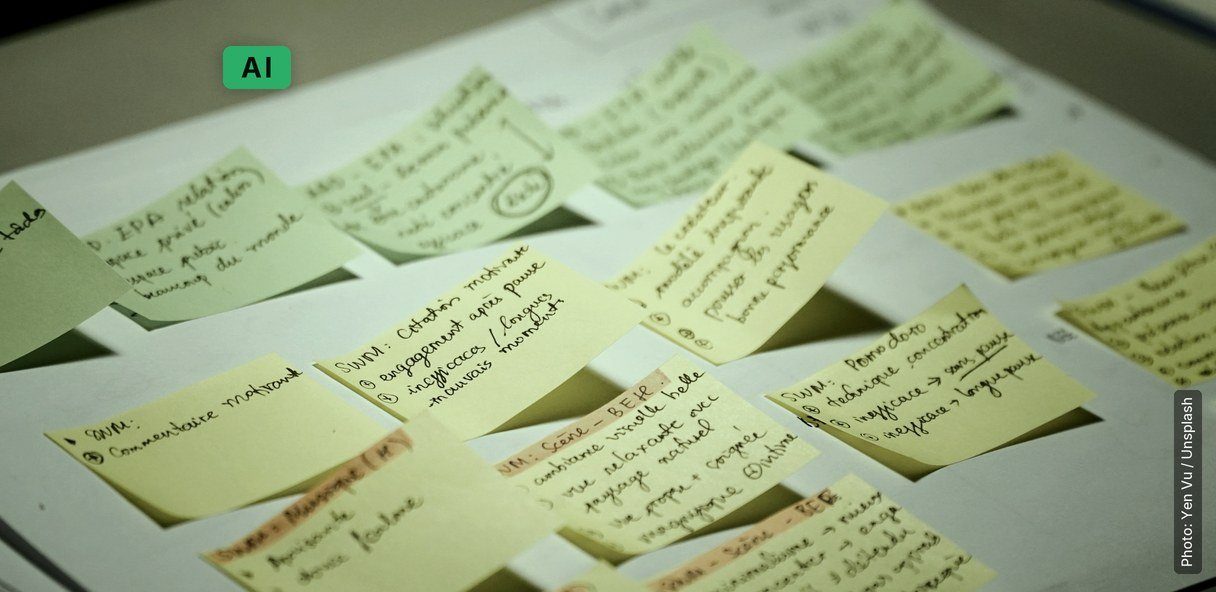
One more thing I would do is a bit of a dry run. Take the first few interviews and analyse them by hand, the old way, with sticky notes and a lot of tea. Then hand the chatbot the same ones and put the two sets of themes side by side. What it misses is usually the sighs, the pauses and the things people never said out loud, and once you have seen that for yourself you will know how much to lean on it. Flip the switch to see how much a plain transcript leaves out.
Wondering what tools are out there? We have a post on the best AI research tools for UX teams. And for the basics of talking to people in the first place, 5 easy ways to conduct user research still holds up very well.
P2 So I got to the phone box [long pause, sighs] and I thought, well, [laughs, looks away] they obviously want it for something.
Me What did you do next?
P2 [quietly] I just closed it. It’s fine. [shrugs, doesn’t look fine]
Made-up example for this exercise. The point: “It’s fine” in a transcript and “it’s fine” on the recording are different data.
The prompt I’d paste in before the transcripts
Something like this keeps it on a short lead. Tap any line and I’ll tell you why it’s there. It isn’t magic, mind, and the bot can still slip up, so you’ll still be searching for the quotes!
Why it’s there
My view, not a guarantee. Teresa Torres still caught a hallucinated quote in her own test,4 which is exactly why the search stays.
Run one interview through both routes
Tick them off as you go. Your progress stays on this device.
0 of 5 done
So where would you trust a chatbot on your next bit of research, and where wouldn’t you? I’d love to hear.
The end of the story
So, can you use a chatbot without fooling yourself?
Remember the chatbot’s guess about the sign-up form, that people leave because they don’t trust you with their phone number? In our made-up chat, one of the three people said exactly that. Another hit a password box that wouldn’t say what was wrong, and the third was on a bus with the signal dropping and wanted to know how long it would take. So the chatbot got about a third of the story, and told it very confidently! Five real people would have given you the rest.
That’s the answer to the title, really. You fool yourself when you let a tidy list stand in for people! You stop when you make the chatbot show you its quotes, search for them all, and then put the idea in front of the people who’ll actually use it. Let it do the dull bits, and you do the finding out.
What you have at the end
You’ll have a way of working that you can repeat. I’d do two passes on your first few interviews, check every quote, and let your hypothesis meet real people before anybody builds a thing. You’ll also get a feel for how far to trust the tool, and that only comes from doing the dry run once (it’s a bit humbling, to be honest). My own view, and it’s only that, is that it costs an extra afternoon on your first project and saves you hours on the next ones.
Do you need a big study for this? Not at all. The people at Nielsen Norman Group worked out that a single person spots about 31% of the problems with a design, and 5 people spot about 85%, so they’d rather you did a few small rounds than one big one.2 (That’s from 2000 and it was about usability tests, so don’t take it as gospel for interviews.) As for trust, 46% of developers in Stack Overflow’s survey don’t trust the accuracy of these tools, and 33% do.5 You don’t have to pick a side! You just have to check.
What to do next
This week, do the dry run on one interview you already have. Go through it by hand first, with sticky notes, and then give the chatbot the same transcript and compare. It will take you an afternoon, and you’ll learn more about the tool than from any amount of reading.
This month, take your first hypothesis and put it in front of 5 proper people. Watch what they do and don’t ask them too much. Make a note when they do something different from the chatbot’s guess, and believe them. While you’re at it, sort your own jobs into the three boxes, so you know what you’d hand over.
After that, I’d just keep the habits going. Ask for quotes with all your themes, ask people for consent before anything goes in, do small rounds of 5, and call a guess a guess. If a tool gives you a first draft of a persona or a list of questions, it’s a draft, so go and check it with a proper person, even if it looks lovely.
How people learn this
You get good at research by doing it with people, and by sitting through the awkward bits, like the pause before an answer or the “it’s fine” that wasn’t. A chatbot can’t hear any of that (flip the switch in step 5 and you’ll see). The usual mistakes are the ones from the steps: pasting in names, taking a tidy list at its word, leaning on synthetic users, and only testing after launch. I’d say we all make a few of those, really, and that’s fine.
If you fancy some reading, the GOV.UK Service Manual has a whole section on user research, from planning a round to analysing what you find, and it’s very readable.9 The Nielsen Norman Group articles are a great place to start too, and the one about synthetic users is well worth your time.1 And if you’d like to see how designers work through a problem, IDEO.org has a Field Guide and an online Design Kit.10
The short version
- A chatbot is good at the dull bits, where you can see straight away if it’s right.
- Never let it play your user.
- Make it quote, then search for every quote.
- Believe five real people over a clever guess.
Courses we’d suggest
I’d start with our AI for UX/UI & Product Design course, which is 5 evenings over 3 weeks. We do exactly this in the research session, and I created it, so you can blame me! You analyse a small set of research data twice, once with a chatbot and once by hand, and then we compare the two.
If you’re new to UX, you’ll want UX Design Essentials first. It’s 6 lessons over 3 weeks in Bangkok, and we go through the whole process, including how to find out what your users are looking for. And when the research is done and you’d like to turn it into screens, there’s Master Figma With Us, a private one-to-one course where you learn Figma on a project of your own.
If you want to practise it properly
AI for UX/UI & Product Design
We do exactly this in the research session, and I created the course. You analyse a small set of research data twice, once with AI and once by hand, and then we compare the two. You finish with a case study for your portfolio that shows where AI helped and where you left it out, which is a nice thing to have when somebody asks how you really work.8
See the course- 5 lessonsover 3 weeks, part-time evenings
- Tue & Thu6pm to 9pm
- Small grouplive in Bangkok or live online
- Beginner to intermediatea bit of UX/UI knowledge helps loads
Where the evidence comes from
- Synthetic Users: If, When, and How to Use AI-Generated “Research”. Maria Rosala and Kate Moran, Nielsen Norman Group, 21 June 2024. Three prior studies re-run; synthetic user finished 7 of 7 courses against a real participant’s 3 of 7; “AI loves to please”.
- Why You Only Need to Test with 5 Users. Jakob Nielsen, NN/g, 18 March 2000. About 31% of problems per user; 85% with five; several small tests.
- Large language models that replace human participants can harmfully misportray and flatten identity groups. Wang, Morgenstern and Dickerson, arXiv, v3 February 2025. 3,200 participants, 16 identities, four LLMs.
- AI hallucination. Product Talk glossary (updated September 2026). Teresa Torres’ informal test on seventeen interview transcripts.
- 2025 Developer Survey: AI. Stack Overflow. 46% distrust the accuracy of AI tools; 33% trust it.
- Getting informed consent for user research. GOV.UK Service Manual. Informed consent; use only within consent; delete when no longer needed.
- UX Research Cheat Sheet. NN/g. Test “early and often” with “a diverse range of people”.
- AI for UX/UI & Product Design. Web Courses Bangkok course page: Session 1, format, who it suits.
- User research. GOV.UK Service Manual. Section on planning research, preparing for sessions, and sharing and analysing findings.
- Tools for Design. IDEO.org. The Field Guide to human-centered design and the Design Kit online learning platform.