


Workflow Automate one boring task
0 of 10 nodes run
Forget the big idea that will change your whole company. Pick one boring task and draw it on paper, build the dull version first, and keep a person in the middle the whole time!
Everybody has a task like this. It is the thing you do each Monday, or whenever a certain email lands, or after a meeting, and you think “surely I should not still be doing this by hand”. Sorting enquiries into piles. Copying details from one place into another. Writing up what was agreed on a call.
That is the task to go after first. Not the big, clever, company-changing idea, just the boring thing that’s eating your week. It is a much better way to learn automation, and I’d say it is a better way to find out what the machines are really good for.
As you scroll you can have a go with a “worth automating?” calculator, build a flow yourself, and try an attack on a badly made automation (don’t worry, it’s pretend). There’s a short tree at the end for the workflow-or-agent question as well. The advice is my teaching view, and the facts about tools and security come from pages I read, which are numbered at the bottom.
Output
Four numbers that say you can start small, safely
Run log tap a line to open the source
ok9,000+apps that Zapier says it connects. Whatever you use already is probably coveredZapier, Oct 2026 ok10k+ready-made workflow templates on n8n’s own site, plus 500+ integrationsn8n, Oct 2026 ok1,000credits a month on Make’s Free plan, enough to try a first scenarioMake pricing, Oct 2026 !#1where prompt injection sits in OWASP’s 2025 list of risks for LLM appsOWASP GenAIThe first three come from the makers’ own marketing, and plans change, so check before you rely on them. All they really tell you is that the tools are there to try. They don’t tell you the tools are right for you.5 6 7
How to spot a task worth the bother
Not everything deserves automating, so here’s my test. Does it happen often? Does it follow more or less the same steps each time? Does it take long enough that you notice? Ten minutes once a month is not worth a day of building, but ten minutes every day certainly is (that’s over forty hours a year, which is a whole working week!).
Then ask if the job needs judgement. Copying a form answer into a spreadsheet is just rules, so any tool will do it for you. Deciding if an email is from a real customer or a spammer takes judgement, and that’s where a chatbot can help, as long as a person checks what it did. Go on, try your own task in the calculator.
42 hours a year handed back
A year is counted as 250 working days. The verdict is my rule of thumb, not a formula from a source.
Draw it on paper first
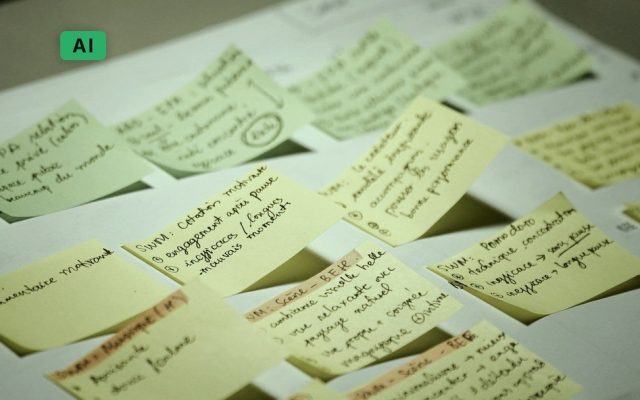
Would you start with the wallpaper if you were going to build a house? Of course not, and automation is the same, so before you open any software, draw the job on paper. What kicks it off? That is your trigger, say an email arriving or a form being sent in. What comes with it, what gets decided on the way, and where does the answer end up?
A few boxes and arrows will do (I cannot draw a dragon either, so nobody is judging your art). You will nearly always find a step you’d forgotten, something like “oh, I also check it against the old spreadsheet”. It is much cheaper to find that on paper than halfway through building.
Build the dull version first
Now for the software. You pick a trigger, and then you add steps one after another, and all the popular tools work that way. One of them describes a workflow as “a collection of nodes connected together to automate a process”, starting from a trigger and running one node after another.3 Another has a beginner path in three parts, ending at “Create your first scenario”.4 Don’t agonise over the choice. Just go for the one that plugs into the apps you already use.
Test each step on its own, with nothing clever in it at all, and then join them up. When your information gets from A to B properly, you can add the clever bit, like asking a chatbot to sort an enquiry or write a draft reply. If something breaks later you will know which half to blame, and that saves ages of head-scratching. Build one below. Pick a trigger, add some steps, and watch out for the warnings.
2. Add steps, in order
A toy builder. Real tools use drag-and-drop, but the logic of “AI step, then a person, then the risky step” is the same.
Once it works, jot down a few lines for your future self about what you built: what starts it, what it does, and who to ask when it stops. Feels daft while it is running sweetly, but in six months you will not remember a thing, and neither will the poor colleague who has to fix it while you are on holiday.
Put a person in the middle
Let the chatbot draft the reply, but make the workflow stop and wait for you to approve it before anything gets sent. Same for anything that spends money, deletes things or talks to customers. Once you have watched it get things right plenty of times, you can loosen the leash a bit. Not before.
There’s a safety reason too. Your automation might read text that comes from outside, like incoming emails, and somebody can tuck instructions into that text to steer it. That’s called prompt injection, and the security group that keeps the top ten list for these apps puts it first.2 Switch the safeguards on and off and see what this made-up email does.
An email your automation just read
What the automation can reach
Before it sends anything
Their advice is to restrict what the model can touch “to the minimum necessary for its intended operations”, and to get a human to approve the risky stuff.2 Which is just what you are doing already. The simulation is only my illustration, not a real attack.
Workflow or agent? Answer two questions
You will hear loads about agents, where the chatbot picks its next move itself instead of following your list. Exciting stuff! But a boring job really doesn’t need that, and if you can write down five steps, I’d just build the five steps. The people who make these models draw the same line. Workflows are “systems where LLMs and tools are orchestrated through predefined code paths”, agents are systems where LLMs “dynamically direct their own processes and tool usage”, and their advice is to find “the simplest solution possible, and only increasing complexity when needed”.1
Can you write the steps down, start to finish?
Does the route change depending on what turns up, like researching something where you can’t know the next move?
Build a workflow
Five known steps? Build five known steps. Add a chatbot to one of them if it needs judgement, and a person where it matters.
An agent might earn its place
Give it a short list of things it is allowed to do, and keep a person in the loop.
Go back to paper
Fuzzy usually means you haven’t drawn the job yet. Do that first, and it often turns into a workflow.
If you fancy a wider look at what’s out there, our post on the best AI agent builders compares quite a few of them, though it does lean a bit towards people who write code.
What’s the most boring thing you did this week?
Tick them off as you go. Your progress stays on this device.
Then write a few lines for your future self about what you built.
So how does it end?
Take the made-up enquiry email from the sketch. A fortnight in, the emails land and get sorted into piles, and there’s a draft waiting for you in the morning. You read it, change a word or two, click approve, and off it goes and gets logged. Nobody has replaced you! You’ve just stopped doing the copying and the typing, and you do the bit that needs a person, which is reading it.
That’s the answer to the title, really. If you pick the boring task, draw it, build the dull version and keep a person in the middle, then the boring task goes away. You really don’t need an agent. You don’t need a big idea either, and there’s no budget. You just need an evening or two and some patience.
What you have at the end
You have an automation that works and that you actually use, and you also know how to make the next one. My own guess, and it’s only my teaching view, is that the first takes a few evenings and the second takes a lot fewer, because the paper bit and the testing bit have become habits.
Now for some numbers. If you do a ten-minute task on a working day, it adds up to about 42 hours in a year (that’s my sum, using 250 working days). Say the build took six hours, which is where the calculator starts. Then it will have paid for itself in about two months. Those are examples, so please use your own. To get a feel for the effort, n8n says its first quick start takes about 15 minutes and you don’t need any coding, though that one makes a weather report and not a reply to your customers.9
What to do next
This week, I’d just go looking. Keep a scrap of paper on your desk and make a mark each time you catch yourself thinking “not this again”. By Friday you will have a list, and the winner is usually obvious. Draw it with a pen before you touch any software.
A month in, you can build the dull version in a tool you’ve picked, with no chatbot in it, and just let it work for a week. Then you will add the chatbot step and the approval, and watch the first few runs yourself, with your coffee in hand.
After that, write your few lines for your future self. If it has earned it, you can loosen the leash a bit, and then it’s time to go and find the next boring task. When you find yourself wanting something that makes decisions for itself, that’s the time to look at agents, and not before.
How people learn this
By building small things that break, and then fixing them. The usual mistakes are automating a task that happens twice a year, building the clever bit first, letting it send things with nobody looking, and forgetting to write down what it does, so that nobody can fix it when it stops. We all do at least one of those.
If you’d like to practise for nothing, Make runs an online academy of hands-on courses that you can take at your own pace,10 and the n8n quick start is there too.9 When you get to agents, the engineering post on building effective agents is worth your time, and it says to find the simplest solution possible.1
The short version
- Pick one boring task that comes round often, and draw it on paper.
- Build the dull version first, then add the chatbot.
- Keep a person in the middle until it has earned your trust.
- If you can write the steps down, build the steps. You don’t need an agent.
Courses we’d suggest
Our AI Automation & Agents course is the one for this, and it’s five evenings over three weeks. You will work on a process from your job, and you finish with a working automation that you use, with a person approving the important bits.
If you haven’t used these tools much yet, you’ll want Generative AI for Work first, or something like it, because we do ask for that before this one. And if you’d like to work out which jobs across a whole team are worth handing over, there’s AI for Managers & Product Leaders too, three evenings for people who run teams.
Output: a working automation
AI Automation & Agents
This is the heart of the course. I created it for people who look at a repeated process and think they really should not still be doing it by hand. You work on a real process from your own job, so by the end there is an automation up and running that you actually use, a person approves the important bits, and there is a plan for when it goes wrong.8
See the course- 5 lessonsover 3 weeks, part-time evenings
- Tue & Thu6pm to 9pm
- Small grouplive in Bangkok or live online
- Not a programmer?Fine. Do Generative AI for Work first, or have used AI tools a fair bit
Sticky note on the canvas
Where the facts come from
- Building effective agents. Anthropic, 19 December 2024. Workflows versus agents; “the simplest solution possible”.
- LLM01:2025 Prompt Injection. OWASP GenAI Security Project. First in the 2025 LLM Top 10; least-privilege and human-in-the-loop advice.
- Workflows. n8n Docs. “A collection of nodes connected together to automate a process”.
- Make Help Center. Beginner path: learn the basics, “Create your first scenario”, expand your scenario.
- Zapier. Homepage, October 2026: “9,000+ apps”. Maker’s own claim.
- n8n. Homepage, October 2026: over 500 integrations, “+10k” templates, self-hosting option. Maker’s own claim.
- Make pricing. October 2026: Free plan 1,000 credits a month. Plans change.
- AI Automation & Agents. Web Courses Bangkok course page: sessions, format, prerequisites.
- Build your first workflow. n8n Docs. “The build takes about 15 minutes” and needs no accounts (apart from n8n), API keys or coding experience.
- Make Academy. Make, October 2026. “Your free online path to mastering Make”: hands-on courses at your own pace. Maker’s own claim.