

Updated September 2026. We kept the nine core skills from the original 2017 list, brought the tools up to date, and added the two skills employers now ask about most: accessibility and working with AI.
Skills of a UI designer, you mean? No, UX design is different.
User Experience (UX) design is about how a product works for the people who use it. User Interface (UI) design is about what they see and touch: layout, colour, typography, buttons. The two work closely together and matter in any product people interact with, such as a website or an app, but they are separate parts of the design process. UI design is closer to graphic design, while UX design is a more technical and analytical field. Here are the UX design skills you need to be successful, and the UI and technical skills that most “UI/UX designer” jobs add on top.
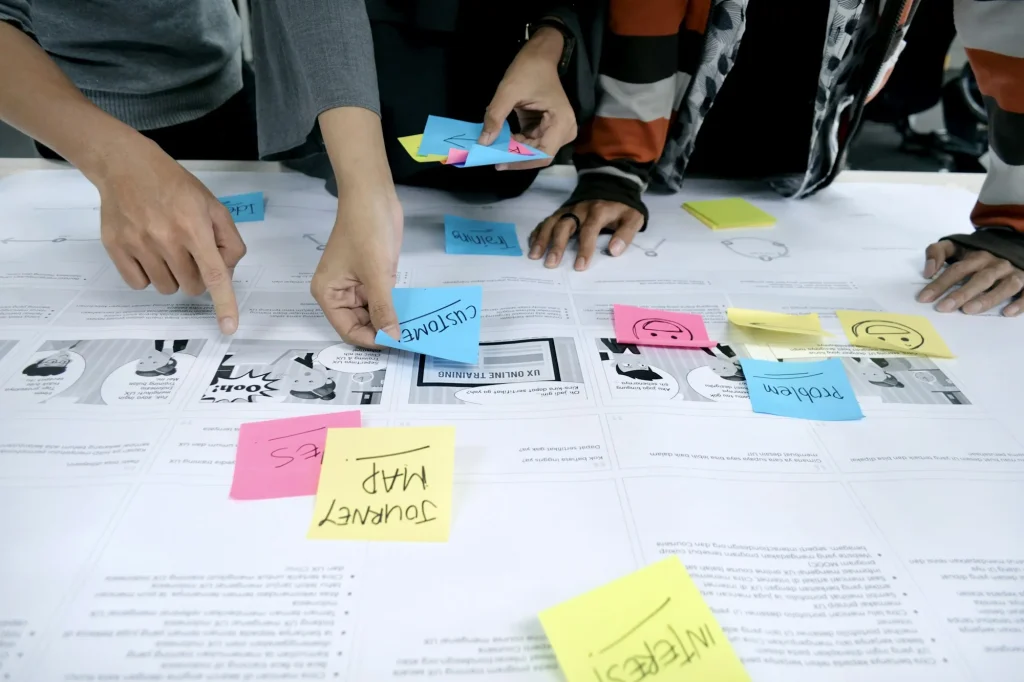 Photo: UX Indonesia / Unsplash
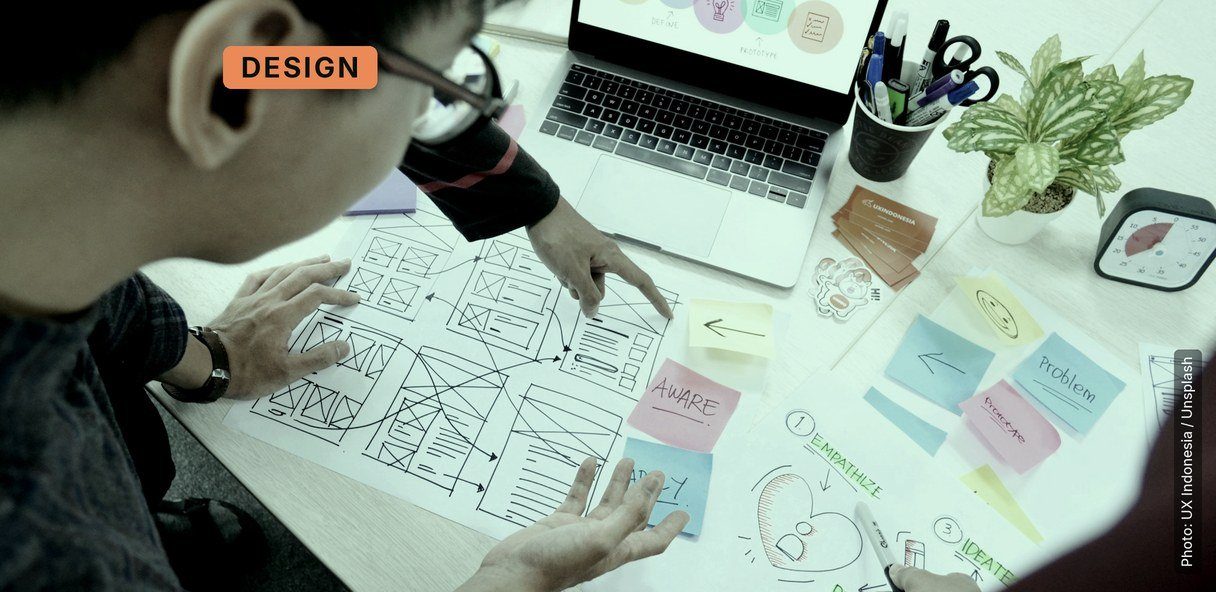
UX design works across several disciplines: human-computer interaction, usability, visual design, information architecture and interaction design. From a business point of view, the goal is to improve customer loyalty and satisfaction by making a product useful, easy and pleasant to use.
UX designer skills at a glance
| Skill | What it looks like at work |
|---|---|
| User research | Interviews, usability tests, surveys, analytics |
| Wireframing and prototyping | Low-fi layouts, then clickable prototypes in Figma |
| Information architecture | Menus, labels and page structure people understand |
| Interaction and responsive design | How screens behave on phones, tablets and desktops |
| Task analysis and optimisation | Fewer steps between the user and their goal |
| Service design | Journey maps across the whole service, not just the screen |
| Data-driven design | Decisions backed by research and numbers |
| Accessibility | Designs that meet WCAG 2.2 |
| Working with AI | Using AI tools with judgement, and designing AI features |
1. Rapid prototyping
Why is rapid prototyping a needed skill in every UX designer’s toolkit? Software used to be released every few years. Today, updates go out every month, every week or even every day, and UX designers need to keep up when they evaluate and iterate their designs.
To do this, they need a prototype. A rapid prototype can be a simple one on paper, a clickable prototype in Figma, or a working one in code. UX design is all about interactions, so rather than relying on static visuals, you need something people can actually try.
AI has made this faster. Prompt-to-app tools such as Figma Make turn an idea or an existing design into an interactive prototype you can test within hours. The skill is no longer building the prototype; it is deciding what question the prototype has to answer.
2. Wireframing
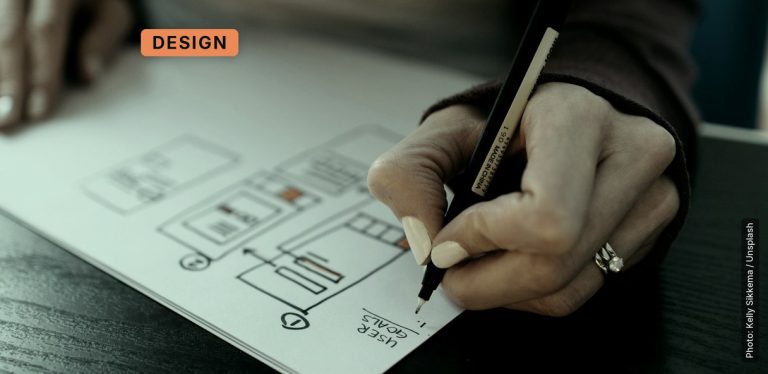
Wireframing is still an essential skill for any budding UX designer. It lets you set the information hierarchy of your web design before anyone argues about colours, and it makes it easier to build a site whose features appear in a logical, usable order on any device.
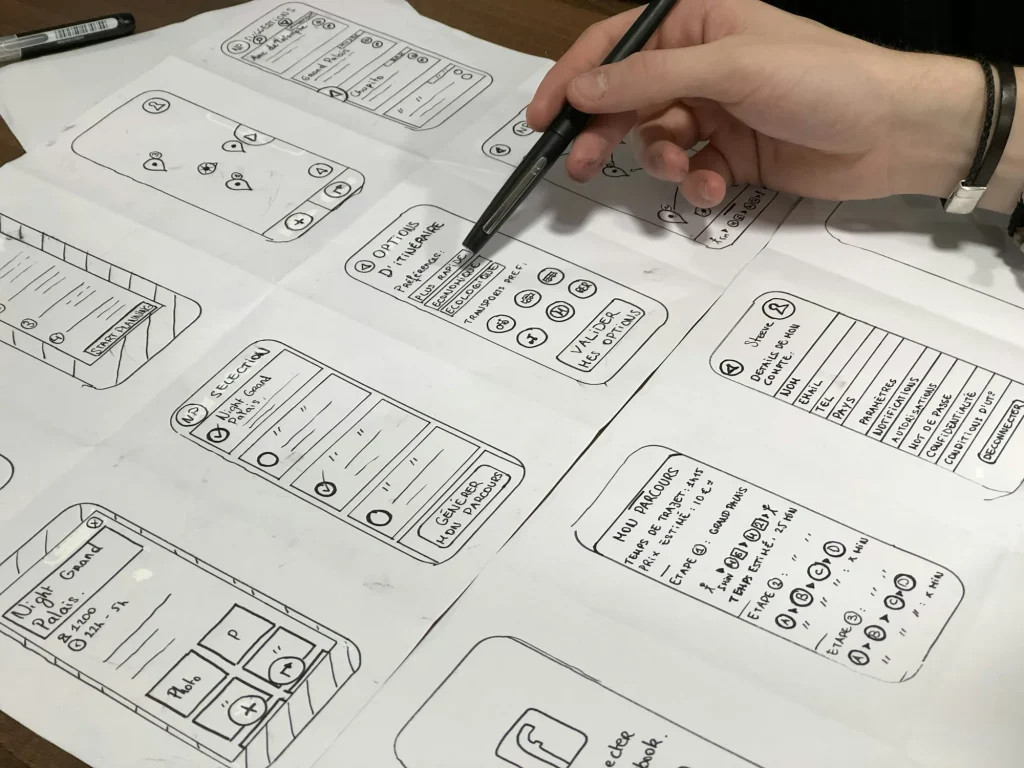 Photo: Amélie Mourichon / Unsplash
Professional UX designers also use wireframes to keep the project’s purpose in focus. The flood of concepts and ideas during a design project can be chaotic and overwhelming!
3. Service design
Service design is the activity of organising and planning the people, infrastructure, communication and material parts of a service to improve the interaction between customers and the business. In other words, great service design means delivering a great service, not just a great screen.
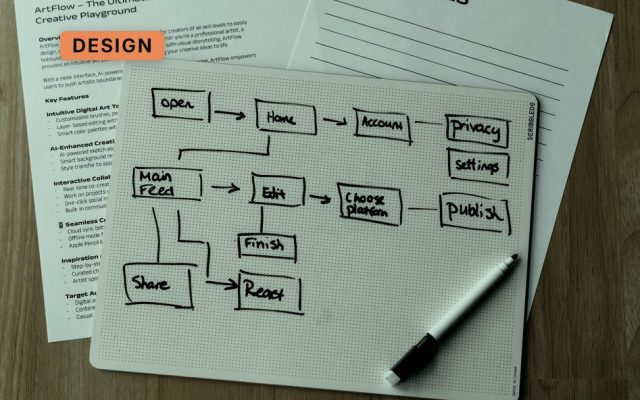
Look at the bigger picture. Even the best interface fails if other pieces of the service puzzle are not in place: the confirmation email that never arrives, the call centre that can’t see your order. As a UX designer you need to look at the whole customer journey, using service design tools like journey maps and service blueprints to map out the overall service.
4. User research
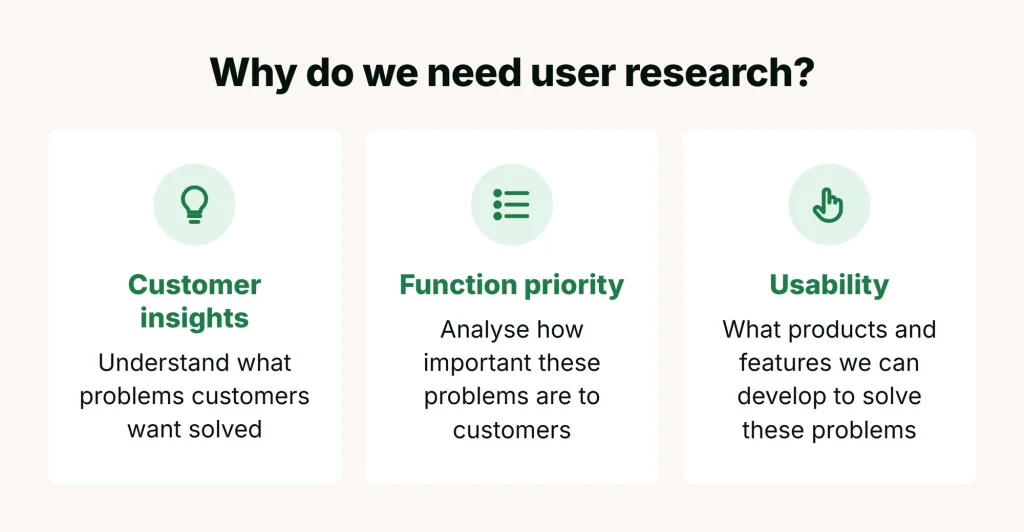
A true-blue UX designer must be able to research users before creating a design. In most cases you will need to talk to real users: interviews, observation and usability tests. User research should not be confused with usability testing. Usability testing checks a design you already have; user research finds out what people need before you design.
(Source)
The tools have changed since we first wrote this. Remote testing platforms such as Maze bring recruiting, testing and analysis together; free tools such as Microsoft Clarity show heatmaps and session recordings of how people use your live site; and research repositories such as Dovetail help a team store and analyse what it learns. The core skill hasn’t changed: asking good questions and listening without leading.
5. Knowing how to delight users
Knowing how to research your users is not enough. A mantra you will hear from UX beginners is “delight the user”. Stop for a moment and ask yourself whether that statement changes any of your design decisions.
Delighting the user is a desirable outcome, but ask “how”, not “why”. If a UX designer can’t describe how, the result is unlikely to happen. Most users come to a site to solve a problem, so you need to know your domain better than they do, and your UX objective is to share that knowledge with clarity and accuracy.
6. Data-driven design
As a UX designer, following the crowd is a no-no. Your design decisions should be justified by experience and data. If not, you may copy popular design patterns that actually break well-known usability standards.
 Photo: Carlos Muza / Unsplash
Take this scenario: you think cascading drop-down menus are a widely used navigation method, so you use one. Usability research then shows that users perform poorly with them. That is why data-driven design matters: analytics, A/B tests and usability tests tell you what actually works for your users.
7. Responsive design
Phones and tablets are part of the fabric of everyday life, and for many sites most visits now come from a phone. UX designers need to be skilled at designing experiences for a wide range of devices and platforms.
This isn’t just designing for smaller screens. Consider the environment and context in which each device is used, the different relationship people have with their phone compared with their laptop, and what touch does to interactions. You can’t just shoehorn a desktop design on to a phone.
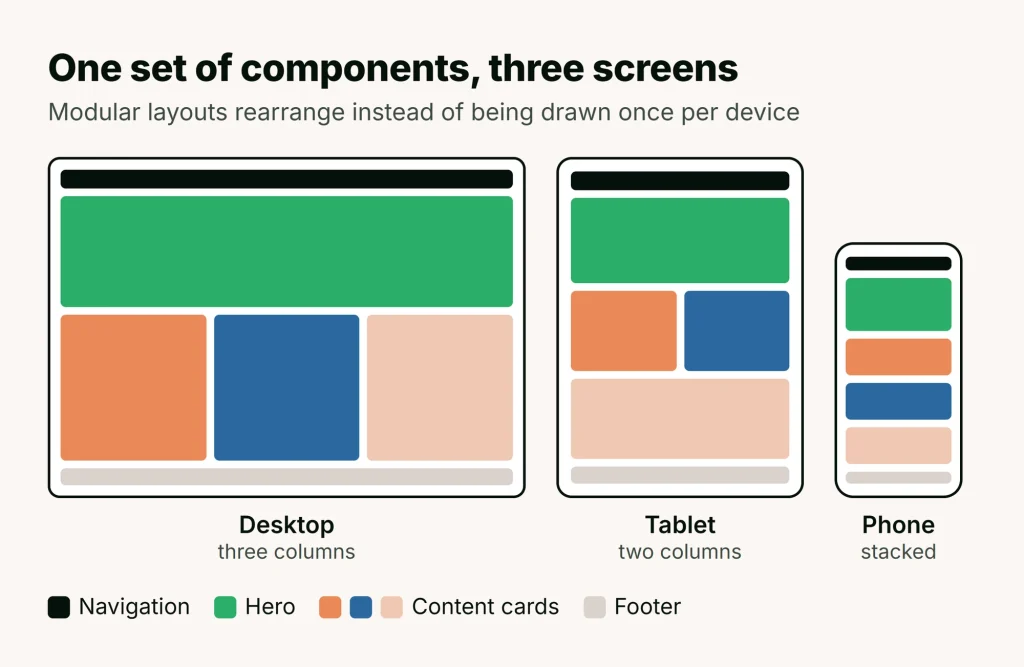
Because designs have to work on many screens, they need to be modular: components that rearrange rather than pages drawn once per device. In Figma that means auto layout, components and variants. UX designers also need to understand the technical side, such as CSS media queries and breakpoints, so they can design layouts that developers can build and that adapt smoothly.
8. User-centred design
User-centred design (UCD) is the process good UX design comes out of, and a skill every UX designer needs to hone. Only when you really understand your users can you come up with the best designs.
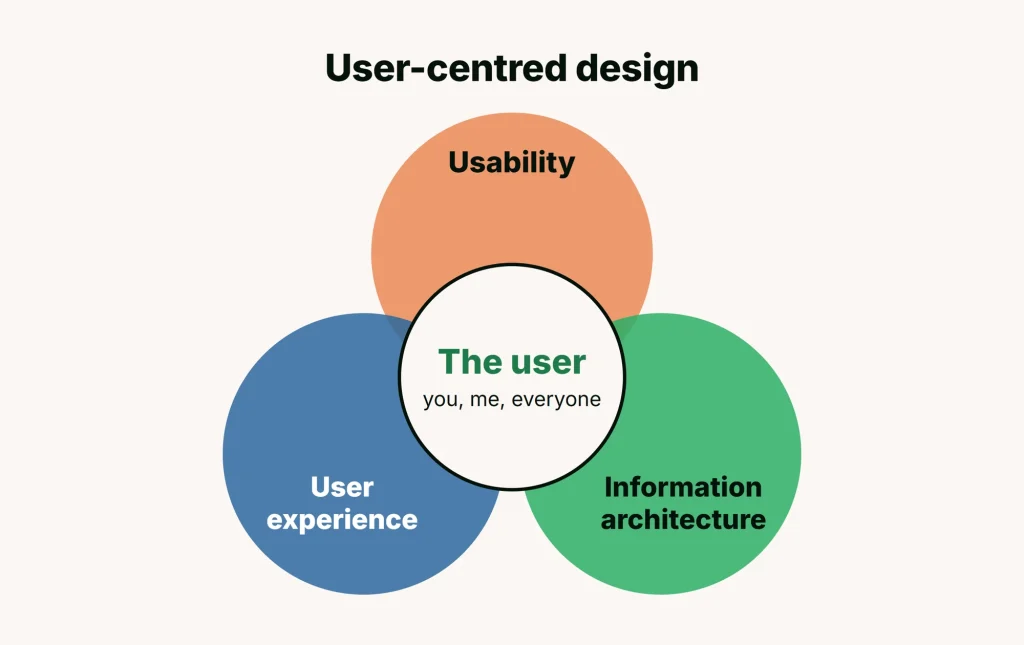
For starters, gather user feedback to understand your users’ needs and iterate your designs from it. Feedback tools, research methods and design software keep changing; the core user-centred process stays the same.
9. Task analysis and optimisation
Task analysis is only the first step. You also need to know how to refine and optimise those tasks. The main goal of task optimisation is to avoid automating current frustrations, and it takes an experienced UX designer to make the user’s task flow more efficient.
Here is an example to help you understand this point better.
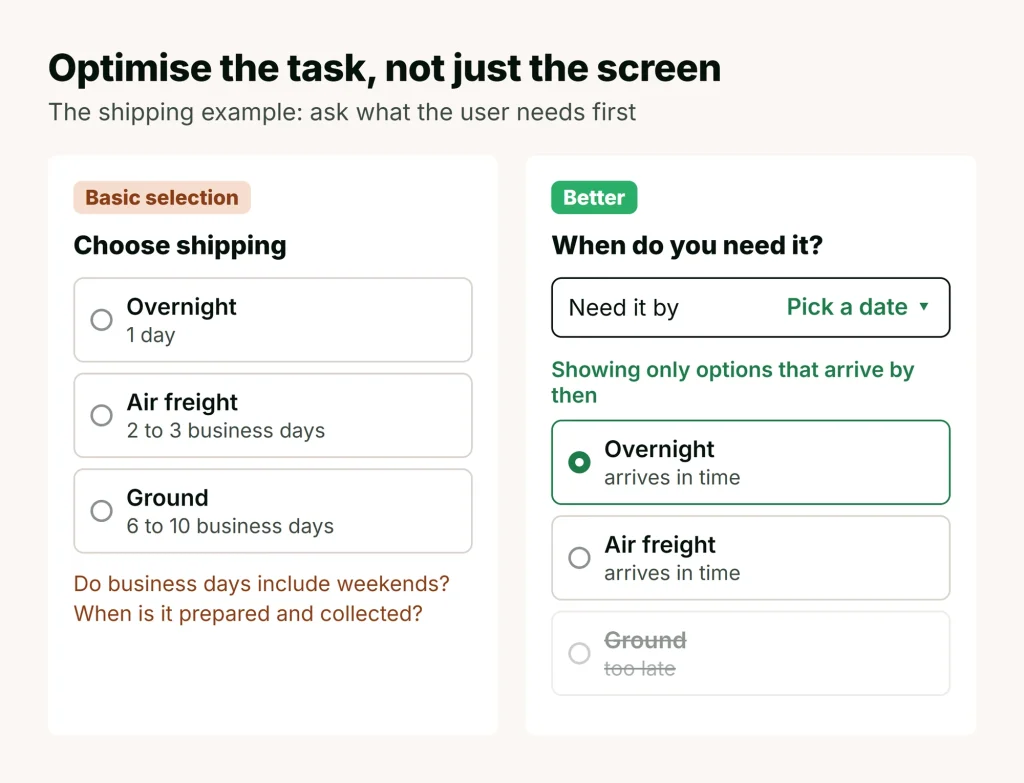
Imagine an e-commerce site that offers a basic shipping selection and shows each choice with a typical duration:
- Overnight shipping: 1 day
- Air freight shipping: 2 to 3 business days
- Ground shipping: 6 to 10 business days
These options raise red flags. The shipper’s business days may or may not include weekends. The user doesn’t know how long it takes to prepare the product, or when the shipper will collect it.
If you understand that the user needs the product by a certain date, a better solution asks when they need it and then shows only the options that meet that date.
10. Accessibility
Accessibility used to be an afterthought. Now it is a core UX skill and, in many markets, a legal requirement: the European Accessibility Act, for example, covers services such as e-commerce and banking in the EU. The standard to know is WCAG 2.2 from the W3C.
In practice that means enough colour contrast, text that can be resized, everything usable with a keyboard, clear focus states, meaningful labels for screen readers, and never relying on colour alone. Checking contrast and focus order in Figma with a plugin such as Stark, and testing with a screen reader, catches most problems before development.
11. Working with AI
This is the skill that has changed the job most since we first wrote this list. It has two sides.
Using AI in your own work. AI tools can summarise interview notes, suggest research questions, draft microcopy, generate layout variations and turn a sketch into a clickable prototype. Figma has AI tools built in, and prompt-to-app tools such as Figma Make build working prototypes from a description. The skill is judgement: knowing which tasks to hand over, writing clear prompts, and checking every output. AI will happily invent a user quote or summarise away the one insight that mattered, so you still read the transcripts.
Designing AI features. More and more products include chatbots, recommendations and AI assistants. Designing them means setting the right expectations about what the AI can do, showing when it is unsure, making it easy to correct or undo what it did, and earning trust. Google’s People + AI Guidebook is a good free starting point.
Technical skills for UI/UX designers
If the job title says “UI/UX designer”, employers usually also expect:
- Figma: components, variants, auto layout, variables and prototyping. It is the standard tool in most product teams.
- Design systems: building and using a shared library of colours, type styles and components so a product stays consistent.
- Visual design: typography, colour, spacing, grids and hierarchy.
- HTML and CSS basics: not to code the product, but to understand what is easy or hard to build and to talk to developers.
- Hand-off: preparing files, specs and annotations developers can build from.
- Analytics: reading tools like Google Analytics and heatmaps to see what users actually do.
Recap: core UX skills and personal attributes to build on
UX designers need the skills any designer doing creative work needs, with the focus on people: the users. There are more skills we could list, but these are the ones to work on first.
The core:
- User research and usability testing
- Wireframing and prototyping
- Information design and architecture
- Interaction and interface design
- Task analysis
- Accessibility (WCAG 2.2)
- Using AI tools with judgement
- Ethnography and discovery
Personal attributes:
- Ability to visualise solutions before one is built
- Ability to pick out the key points and synthesise information
- Analytical thinking
- Healthy scepticism at the right moments
- Curiosity and passion
- Empathy
- Clear communication with clients, developers and stakeholders
Want to build these skills? Start with UX Design Essentials, train your whole team with UX/UI for Teams, or add AI to your process with AI UX/UI Product Design. UX Design Essentials is a part-time group course in Bangkok, UX/UI for Teams is run for your company, and AI UX/UI Product Design is a part-time evening course in Bangkok or live online.
Header photo: UX Indonesia / Unsplash