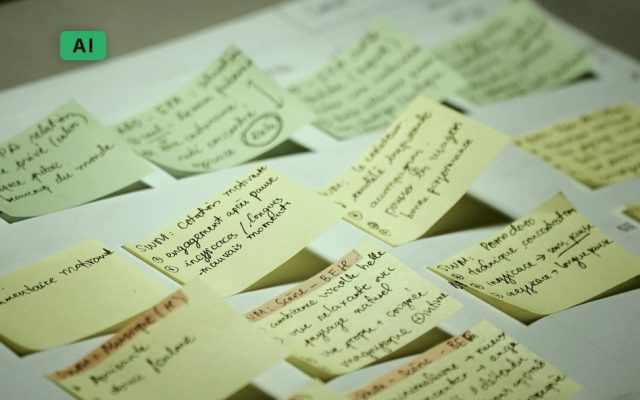






Drowning in tabs, stakeholder requests, and interview transcripts? These AI research tools are here to cut through the noise, speed up synthesis, and give you back your time — without compromising on depth or rigor.
Whether you’re running lean in a startup or scaling research ops in product teams, this roundup covers the best AI tools that do the heavy lifting across discovery, synthesis, analysis, and insights.
Why AI-Driven UX Research Is Having a Moment
Traditional UX research can be messy:
– Too many notes, too little time.
– Stakeholders want insights yesterday.
– You’re juggling usability tests, interviews, surveys, and Jira tickets.
But in 2025, AI-powered research platforms are becoming mission-critical. Think of them as your co-pilot — not a replacement — that helps you analyze, summarize, tag, and even suggest insights based on real-time data.
The Best AI Research Tools for UX Teams Right Now
These tools are curated based on their traction, usability, and alignment with lean, agile UX teams.
1. Versive — End-to-end AI research workspace
getversive.com
Versive lets you centralize interview recordings, auto-transcribe sessions, tag insights, and build themes using AI. Think of it as your digital research assistant — ideal for teams running frequent qualitative studies.
Why it’s great: Beautiful insight clustering, works with video + text, designed for startup speed.
Use case: Sprint-based research with quick turnaround.
2. Blink — Deep code research from Slack or browser
blink.so
While made for developers, Blink is a research gem when you’re working with engineering-heavy products. Ask technical questions and get AI-generated answers based on your codebase, Slack threads, and docs.
Why it’s relevant: UXers working on dev tools can reverse-research patterns.
Use case: Technical discovery research or onboarding new researchers.
3. Maze — Testing and interviews with AI help
maze.co
Maze covers prototype and website testing, surveys, card sorting, and interviews, with an AI Moderator that can run interviews and summarize sessions for you.
Why it’s relevant: Continuous testing across the whole design cycle.
Use case: Checking a design change before and after you ship it.
4. Marvin — AI-moderated interviews at scale
heymarvin.com
Marvin runs AI-moderated interviews, takes notes live, and finds themes across everything you’ve collected, with answers you can trace back to what people actually said.
Why it works: Answers you can check against the source.
Use case: Teams running lots of interviews who need to trust the findings.
5. Gitmore — AI reporting from Git Repos
gitmore.io
This isn’t a UX tool at first glance — but if you’re working on a developer-facing product, Gitmore lets you understand what’s happening in real-time based on developer actions.
Why it’s useful: See patterns from commits and PRs.
Use case: Research for dev platforms or productivity tools.
6. Extra Thursday — Talk your way through your inbox
extrathursday.app
A voice-first inbox tool that might seem off-topic… until you realize you can dump research notes or emails and process them with voice. Stream-of-consciousness meets AI summarization.
Why it’s clever: Dictate research observations, auto-organize them via tags.
Use case: Field notes, diary studies, or synthesis-on-the-go.
7. Autosana — Mobile QA meets UX testing
autosana.ai
QA and UX often overlap, especially in mobile apps. Autosana helps auto-test app flows using AI, but also highlights friction that could be UX-related.
Why it’s valuable: Detect broken flows fast, tag usability issues early.
Use case: Rapid testing in pre-launch environments.
8. TensorZero — LLM Dev Stack for Research Prototypes
tensorzero.com
Open-source and powerful, TensorZero is for researchers working closely with AI/ML teams. Build and test ideas, user flows, or NLP-based interfaces without starting from scratch.
Why it’s good: Ideal for AI product research, prototype and test in real-time.
Use case: Concept testing for AI-first features.
9. Dualite x Supabase — Full-stack App Builder for Research MVPs
dualite.dev
This is for the maker-minded UX researcher. Build research tools, test internal platforms, or prototype ideas with database-backed logic — no full dev team needed.
Why it stands out: Low-code backend support, connects to real user data.
Use case: Internal tools for testing hypotheses.
10. FileFaker — Sample Files for Testing UX
filefaker.com
Need to test file upload flows? Onboarding? Data visualizations? FileFaker lets you instantly generate test data of different sizes, types, and formats.
Why you need it: Stress-test your flows, simulate real-world edge cases.
Use case: Prototyping and usability testing of file-based apps.
From our original 2025 list: Mirror and Stormy are no longer available, so we’ve swapped them for Maze and Marvin. Gitmore has moved to gitmore.io. TensorZero is still on GitHub but is no longer maintained.
Wrap-Up: AI Is a Research Partner, Not a Shortcut
These tools won’t replace your intuition, empathy, or research craft. But they will save you hours, keep your research pipeline flowing, and make you look like a hero when insights are needed on Monday morning.
As a UX researcher in a startup, your biggest superpower is speed + accuracy. These platforms give you both — with a little AI magic on the side.
Bonus: Want More Tools Like This?
Check out our full write-up on AI tools for designers.
Want to bring AI into your design process? AI for UX/UI & Product Design is our live course in AI for research, flows, interface content and prototyping, in Bangkok or online.